Product schema is the markup that tells search engines a page is about something purchasable — what it is called, what it costs, whether it is in stock, and what people think of it. Get it right and your listing can carry a price and a star rating. Get it half right and the block validates cleanly while earning nothing at all, which is the more common outcome.
The confusion usually starts in the same place: Google splits Product markup into two different search experiences with different requirements, and most guides describe only one of them. This guide covers what Product requires at minimum, what belongs inside offers, how the two experiences differ, and how to check the block before it ships.
What Product Markup Requires
The mandatory surface is smaller than people expect. According to Google’s product snippet documentation, a Product needs a name, plus at least one of three properties: offers, review or aggregateRating.
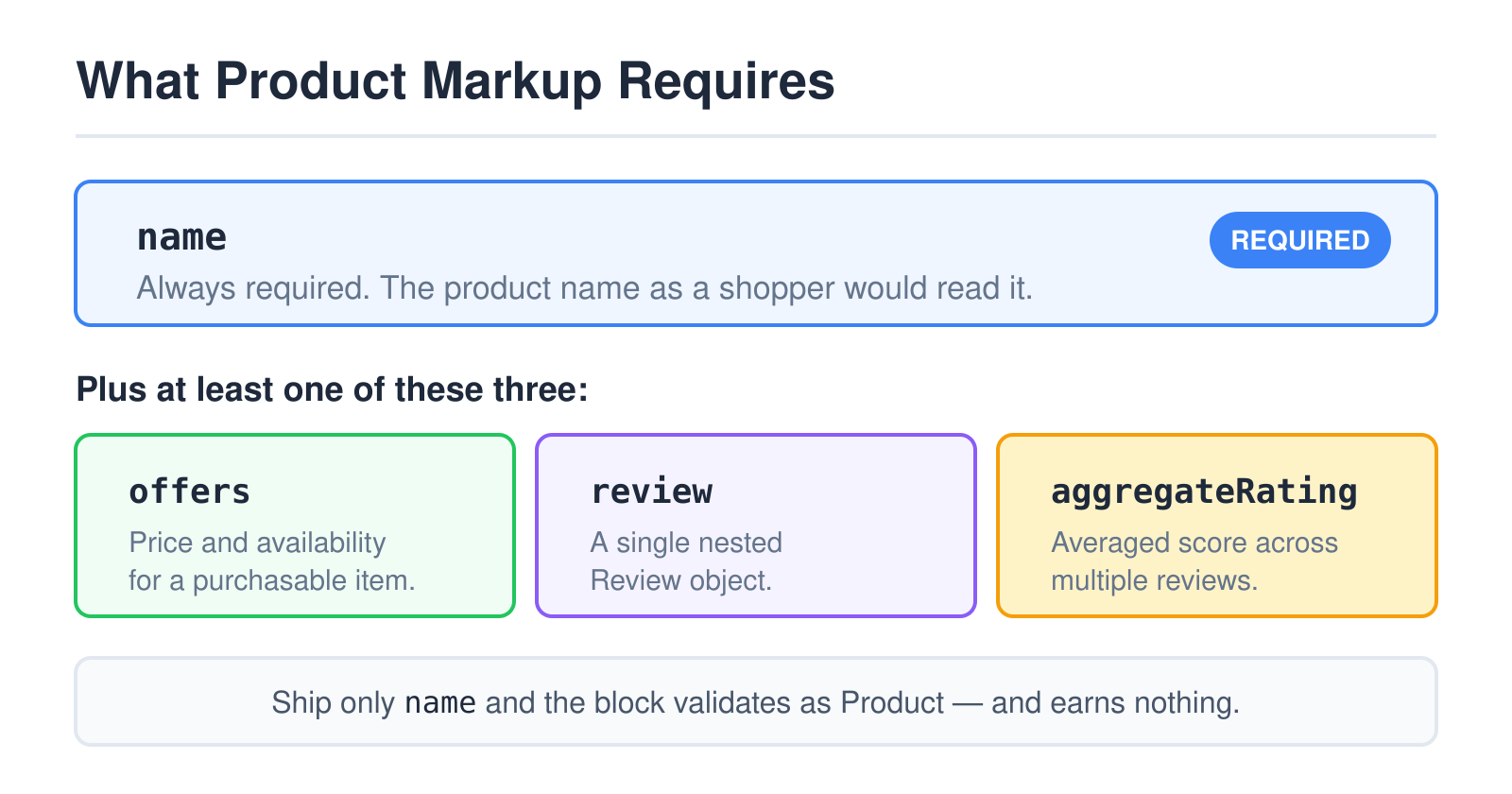
That “at least one of three” is the rule worth internalising. A Product block carrying only a name is valid structured data — a validator will not complain — and it is ineligible for any rich result, because Google has nothing to display. Empty eligibility is the most common failure I see on real shop pages, and it never shows up as an error.
Which of the three you add depends on what the page honestly contains. A shop page selling the item takes offers. A review page that does not sell it takes review or aggregateRating. Adding all three is fine when the page genuinely has all three, and dishonest when it does not — invented ratings are a structured-data policy violation, not a clever shortcut.
Inside the offers Object
For anything purchasable, offers carries the commercial detail, and it has its own required properties nested one level down.
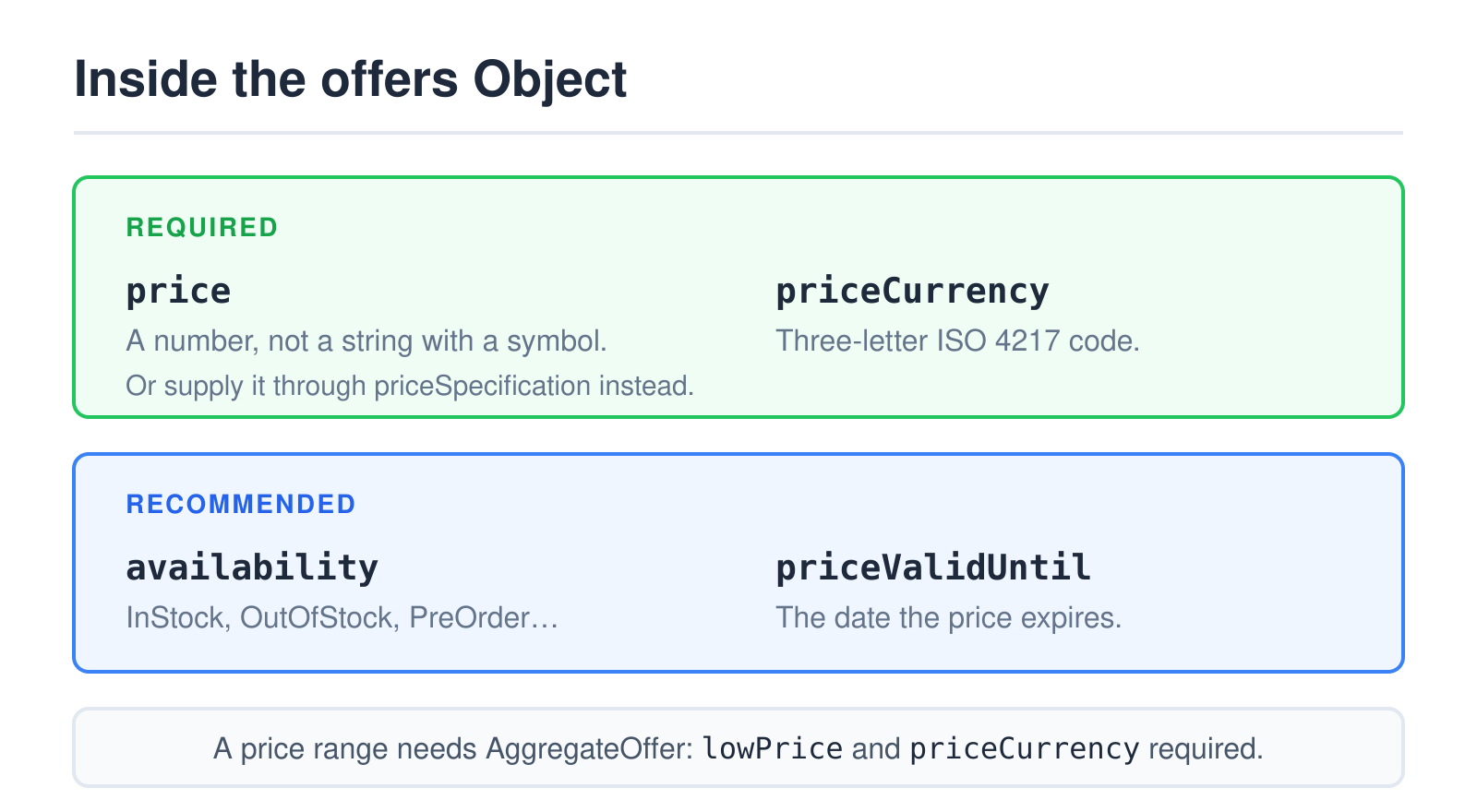
price is required — either directly or through priceSpecification.price. Send it as a number. A string like "€24.90" is the single most frequent reason a price fails to appear, because the currency symbol makes the value unparseable. The currency belongs in its own field: priceCurrency, in three-letter ISO 4217 format, and Google’s guidance is that it is best to always provide it.
availability and priceValidUntil are recommended rather than required, and both are worth adding. Availability uses the schema.org ItemAvailability values — InStock, OutOfStock, PreOrder and friends — written as full URLs or short names. priceValidUntil tells Google when the price expires, which matters for sale pricing.
If a product has a price range rather than one price — several sizes at different costs — the shape changes to AggregateOffer, which requires lowPrice and priceCurrency, and recommends highPrice and offerCount.
Product Snippets and Merchant Listings
This is the split that catches people, because the same Product type feeds two different experiences with different property expectations.
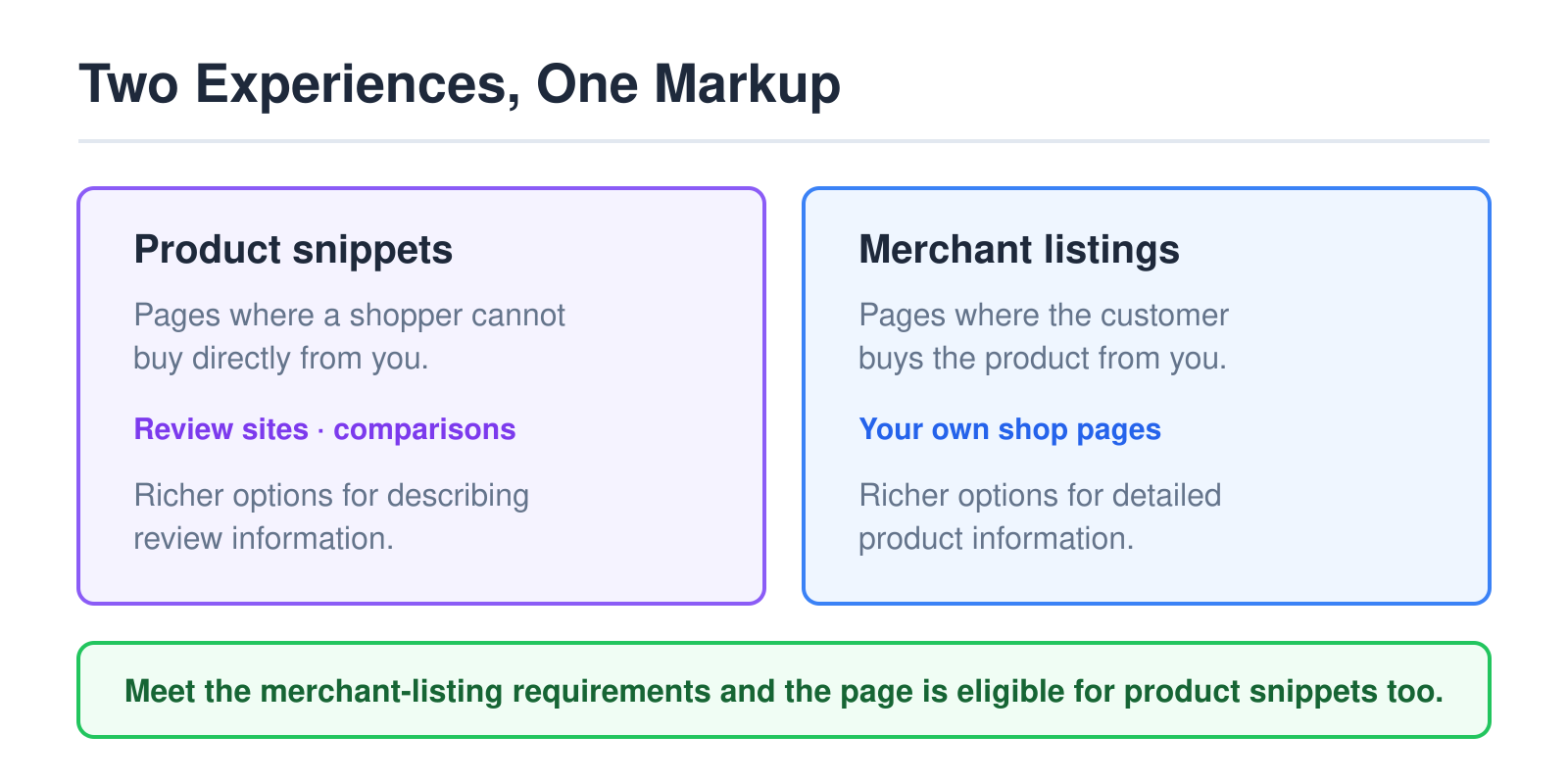
Per Google’s overview, product snippets are for pages where people cannot directly purchase the product — review sites, comparisons, roundups — and that markup has more options for describing review information. Merchant listings are for pages where customers buy from you, and that markup has more options for detailed product information.
The practical shortcut: adding the required properties for merchant listings makes your pages eligible for product snippets as well. If you run a shop, aim at the merchant-listing requirements and you cover both. If you run a review site, you cannot reach merchant-listing eligibility anyway, and there is no reason to pretend otherwise.
The Properties Worth Adding Beyond the Minimum
Meeting the minimum makes a page eligible. It does not make the listing informative. A handful of recommended properties do most of the remaining work, and they cost nothing once the data is already on the page.
image is the one to add first. A product result without an image is a weak result, and the property accepts multiple URLs so you can supply several aspect ratios of the same shot. Use the highest-resolution version you have rather than a thumbnail — Google crops down, it does not invent detail.
brand matters more than its length suggests, because it connects the product to an entity rather than leaving it as a floating string. It takes a nested object: {"@type": "Brand", "name": "…"}. Own-label goods use the shop’s own name, and that is correct rather than a workaround.
sku and gtin are the identifiers. The SKU is yours; the GTIN is the global one printed on the barcode, supplied as gtin8, gtin13, gtin14 or the generic gtin. If a product has a real GTIN, include it — it is how a listing gets matched to the same item sold elsewhere, and it is the difference between a product Google recognises and a product it merely reads. Made-up values are worse than none.
description should repeat the page’s own product copy rather than a keyword-stuffed alternative. The markup describes the page; a description in the JSON-LD that appears nowhere in the visible content is exactly the pattern the structured-data policies exist to stop.
Products That Come in Variants
Sizes, colours and materials break the simple model, because one page can represent several buyable things at several prices. Wrapping them in a single Product with an averaged price describes something that does not exist.
Google’s answer is ProductGroup, which marks the parent item and hangs the variants off it. ProductGroup itself requires only name — the family name, like “Merino wool scarf” — while each variant carries a more specific name of its own.
Three recommended properties do the real work. productGroupID is the parent SKU, the identifier that ties the family together. variesBy declares which dimensions the variants differ along, written as full schema.org URLs such as https://schema.org/color or https://schema.org/size. And hasVariant holds the nested Product objects, each with its own offers — or, if you would rather point upward from each variant page, each variant uses isVariantOf to reference the parent instead.
Which direction you choose depends on your URL structure. One page showing every colour suits hasVariant. Separate URLs per colour suit isVariantOf with a shared productGroupID. What does not work is marking each variant as an unrelated Product, which is how a shop ends up competing against itself for the same item.
A Block You Can Copy
Here is a complete, minimal example for a shop page — JSON-LD, which is the format Google recommends, dropped anywhere in the HTML:
<script type="application/ld+json">
{
  "@context": "https://schema.org",
  "@type": "Product",
  "name": "Merino Wool Scarf",
  "image": "https://example-store.com/img/scarf.jpg",
  "description": "Lightweight merino scarf, 180 x 30 cm.",
  "sku": "SCARF-4412",
  "brand": { "@type": "Brand", "name": "Example Store" },
  "offers": {
    "@type": "Offer",
    "url": "https://example-store.com/merino-scarf",
    "price": 24.90,
    "priceCurrency": "EUR",
    "availability": "https://schema.org/InStock",
    "priceValidUntil": "2027-01-31"
  },
  "aggregateRating": {
    "@type": "AggregateRating",
    "ratingValue": 4.6,
    "reviewCount": 38
  }
}
</script>
Two details in that block are easy to get wrong. The url inside offers should point at the page where the item can be bought, not at the image or a category. And ratingValue and reviewCount must match what a visitor can actually see on the page — the markup describes visible content, the same rule that governs FAQ markup.
Mistakes That Survive Validation
The failures worth watching for are the ones no error message catches.
- Prices that drift. The page says one number and the JSON-LD says another, usually because the markup is hard-coded in a template while the price comes from stock. Generate both from the same source or the mismatch is a matter of time.
- Markup on category pages. A listing of twelve products is not one
Product. Either mark up each item individually or leave the category page alone. - Ratings without visible reviews. An
aggregateRatingon a page with no reviews on it is a policy violation, and it is trivially detectable. - Stale availability.
InStockbaked into a template staysInStockafter the item sells out. If availability cannot be generated dynamically, it is safer to omit it.
Where the Values Should Come From
Almost every mistake above shares a root cause: the markup and the page are fed by different sources. Fixing that once removes a whole category of future problems.
On a platform with a real product model — WooCommerce, Shopify, Magento — the markup should be generated from the same objects the template renders. Price comes from the price field, availability from stock status, rating from the review store. The values then cannot disagree with the page, because they are the same values. Most platforms either emit Product markup natively or have a well-maintained plugin doing it, and the sensible move is to check what is already on the page before writing your own.
That check matters more than it sounds. Duplicate Product blocks — one from the theme, one from an SEO plugin, one hand-added — are common, and they conflict. View source on a product page and search for application/ld+json; if more than one block claims to describe the product, decide which to keep and switch the others off rather than layering another on top.
Hand-written markup belongs to pages that are genuinely static, and static is rarer than it looks. A price hard-coded in JSON-LD is fine until the first sale, at which point it silently misrepresents the offer. If the value can change without anyone editing that block, it should not be hard-coded.
Check It Before It Ships
Validation happens in two layers, and skipping the first one wastes time. Run the block through our schema validator to confirm the JSON parses, the types exist in the schema.org vocabulary, and the required properties are present. That catches syntax and vocabulary errors in seconds, without deploying anything.
Then check eligibility for the specific rich result with Google’s Rich Results Test on the live URL, since only Google can tell you whether its own feature requirements are met. The distinction between those two kinds of checking is covered in more depth in the guide to validating structured data, and the mechanics of the format itself in the JSON-LD validator guide.
Start with one product page rather than a template-wide rollout. Mark it up, validate it, deploy it, and confirm in Search Console that the item is being read the way you intended. A single verified page is a far better basis for a template change than a thousand pages of markup nobody has checked.